
|
||
|
|
||
|
||
|
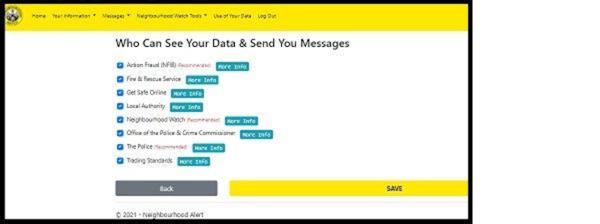
A Guide to changing who can see your data and receive messages from |
||
|
Hi Resident
We’d like to let you know how you can control who sends you messages through the Alert system. Information ProvidersThese are the organisations you choose to receive messages from. They can also see your details on the membership database. We recommend selecting all of them so you receive helpful updates about crime prevention and community safety. Important: If you remove Neighbourhood WatchIf you deselect Neighbourhood Watch, you will no longer be a registered member. This means: How to change your settingsWe hope this helps you stay well connected with useful local and national information.
Best wishes
| ||
Reply to this message | ||
|

|
